Highlights
- Shout out to mstriemer for getting the AI Controls work landed and uplifted!
-
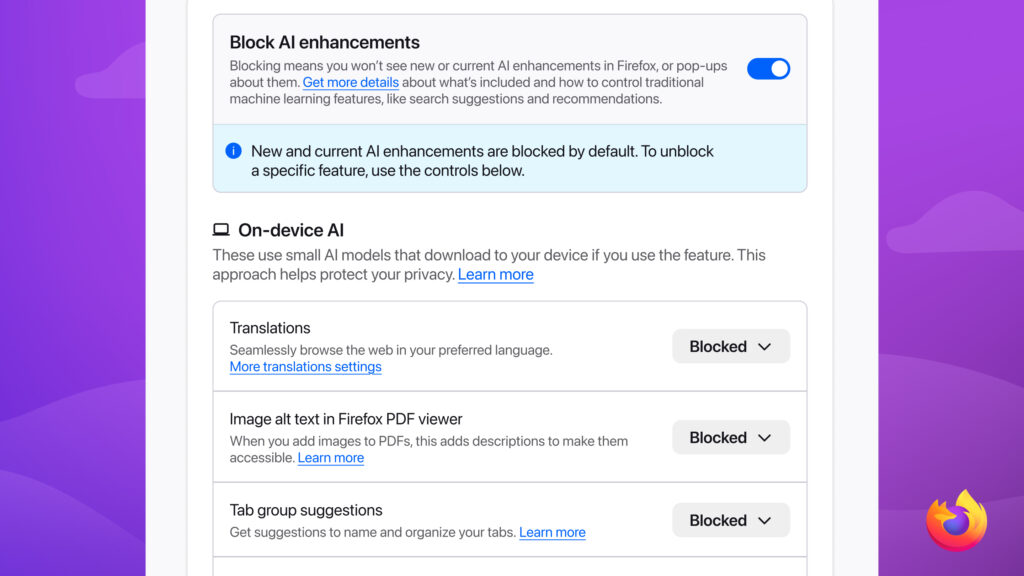
You choose.
-
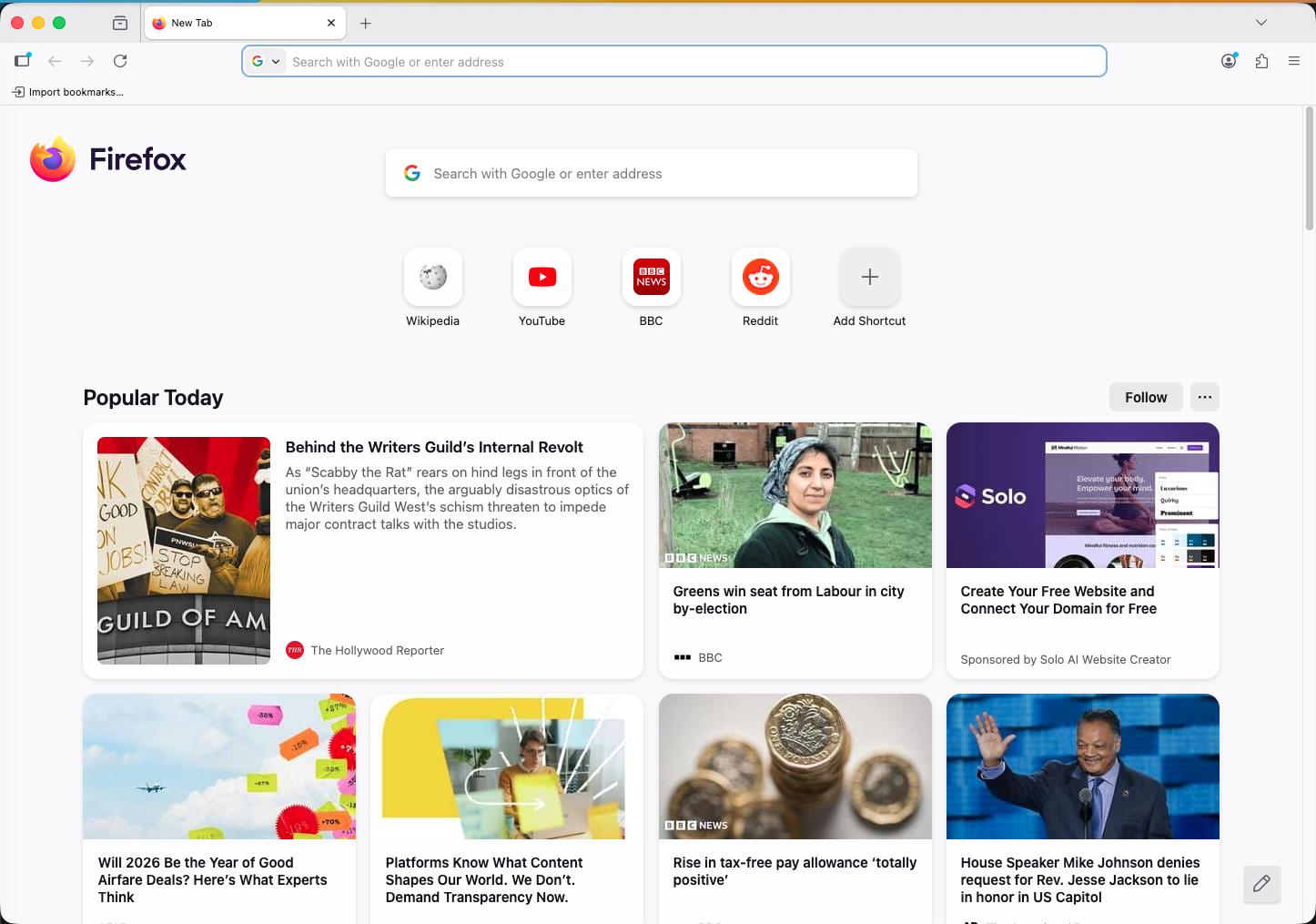
- We’ve also enabled New Tab with Sections by default in the UK!
Friends of the Firefox team
Resolved bugs (excluding employees)
Volunteers that fixed more than one bug
- Henry Yeary
- Khalid AlHaddad
- Sam Johnson
- Thomas Sileo
New contributors (🌟 = first patch)
- 🌟 aaryamannsingh3 made it so that we don’t show the “Move Tab to New Window” tab context menu option if there’s only a single tab in the window
- 🌟 Henry Yeary fixed a glitch with one of our reorderable stories from using the wrapped argType! Henry also cleaned up some dead code in our PDF reader.
- 🌟kian fixed a bug in our DevTools Inspector tool where shadowroots were sometimes not always visible
- 🌟 simon cleaned up a redundant argument in part of our layout code!
- 🌟 Thomas Sileo made it so that we use the auto_bookmark transition type via the WebNavigation WebExtension API for navigations triggered by the bookmarks toolbar, and also fixed an intermittent test failure!
Project Updates
Add-ons / Web Extensions
WebExtension APIs
-
- As part of the work for the AI toggle switch, we have applied some small tweaks to improve the behavior of the the trialML WebExtensions API when it is disable/enabled globally at runtime through AI toggle switch – Bug 2012543
- As part of improving cross-browser compatibility of the browserAction / action WebExtensions API, the isEnabled API method has been tweaked to optimally accept a tabId (as currently expected on Chrome) and to return the global state instead of rejecting when called without any parameter (aligning it to both Chrome and Safari) – Bug 2012727 / Bug 2013477
- Fixed webNavigation transitionType for webpages loaded from the Firefox bookmarks panels by making sure it is set to auto_bookmark instead of the fallback link transitionType – Bug 1623654
- Thanks to Thomas Sileo for contributing this fix and improving the cross-browser alignment of the webNavigation WebExtensions API!
Smart Window
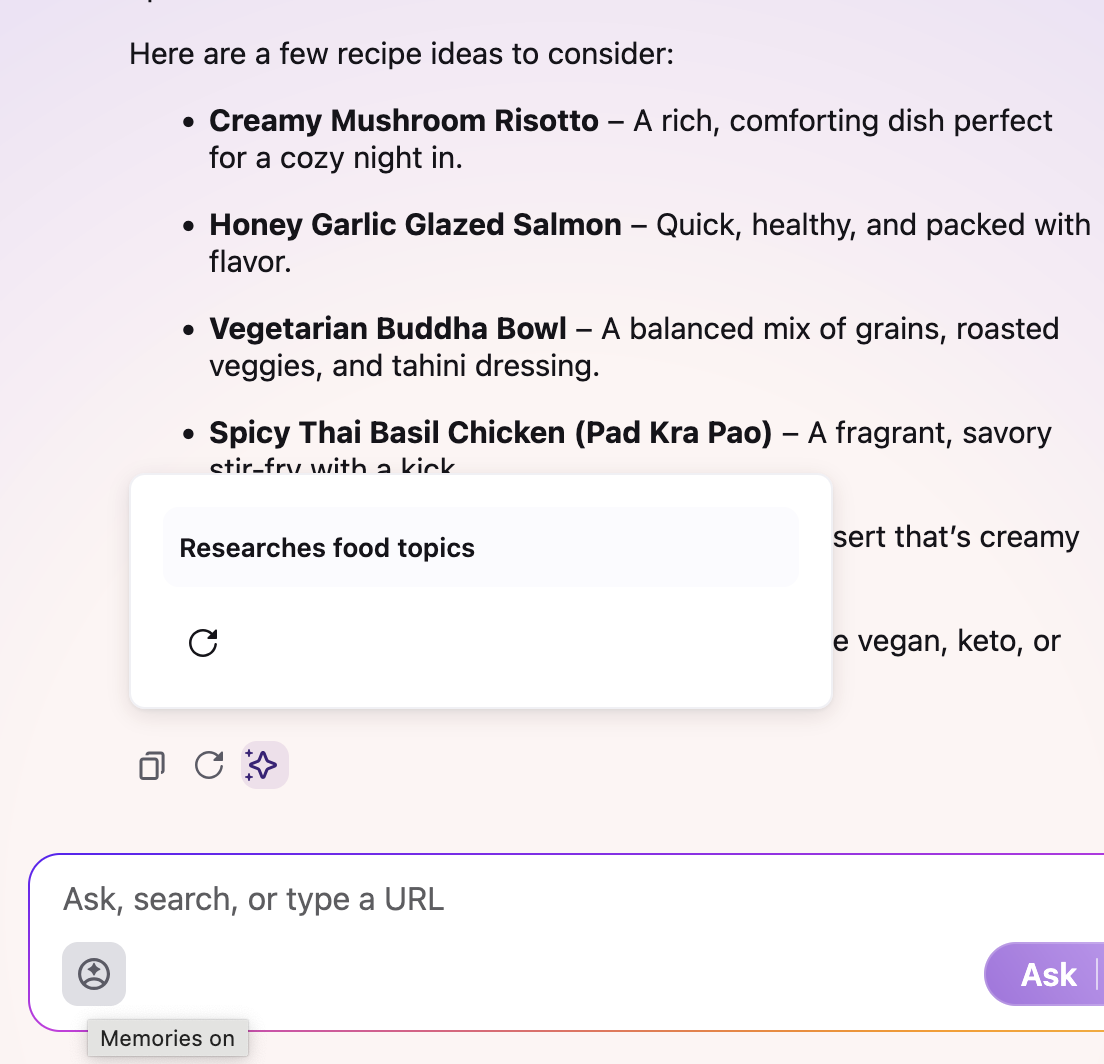
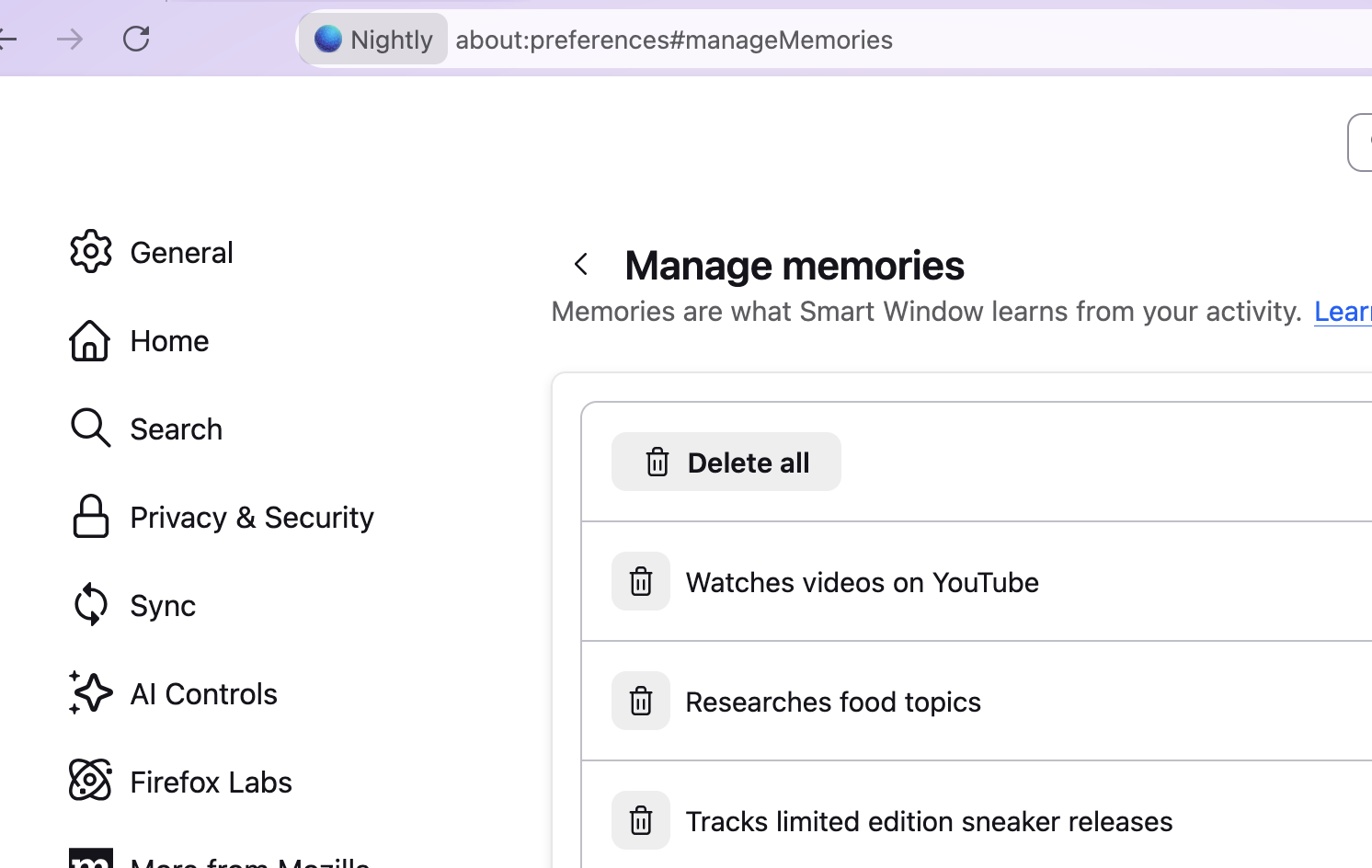
- generate memories based on browsing and chat history to use in conversations
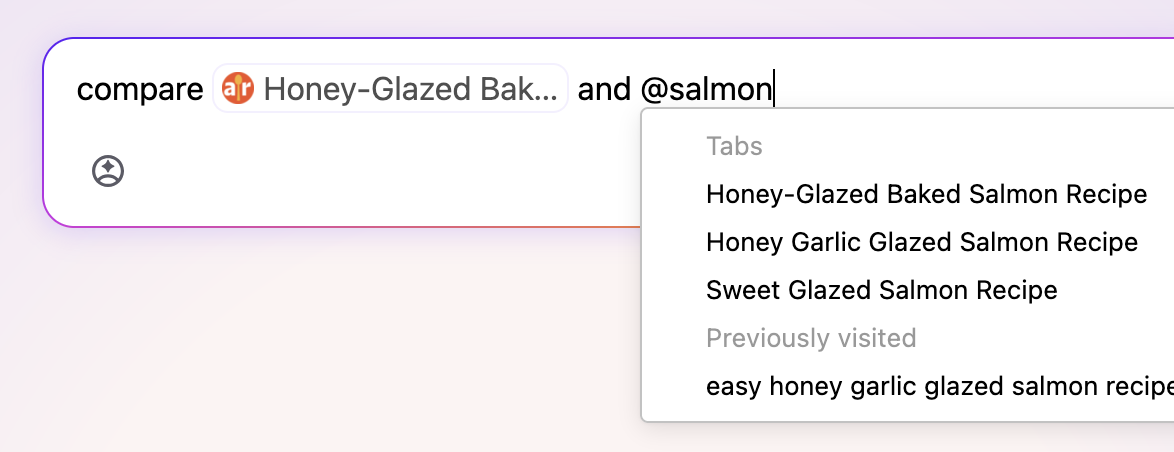
- refer to tabs with @mentions
- chat conversation history in firefox view 2001496
- start new chat from sidebar 2003657
- require account when opening 2012806 and switching to smart window 2012014
- callout to remind how to switch back to classic 2010897
- improve reopening conversations by id 2009866
- hookup new urlbar provider for smartbar chat 2003067
- renamed prefs from aiwindow to smartwindow 2010128
DevTools
- Kian fixed a bug in the Inspector where Shadow Root children couldn’t be inspected (#1643915)
- Matt M improved the layout of Netmonitor’s “Edit and Resend” UI (#2012236)
- Chris Vander Linden refactored devtools/client/accessibility/accessibility-proxy.js to use proper private fields (#2013442)
- Leo McArdle [:leo] made the markup view to omit the attribute value when it is empty. For example we used to show <input checked=””>, now it will only be <input checked>) (#2009915)
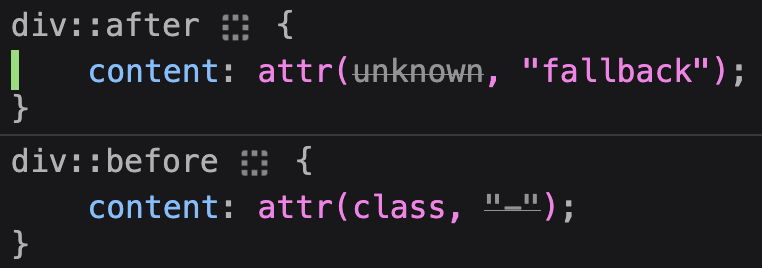
- Nicolas Chevobbe [:nchevobbe] made attr() strike-through the attribute name or the fallback, depending if the attribute is set on the element (#1854104)
- Nicolas Chevobbe [:nchevobbe] fixed a couple issues in the computed panel. We were missing nested media query declarations (#2012412), and we would incorrectly order selectors when an inherited rule declaration had a higher priority than non-inherited “direct” rule declaration (#2013327)
- Alexandre Poirot [:ochameau] fixed an issue that could prevent to re-open devtools (#2003810)
- Nicolas Chevobbe [:nchevobbe] made the stacktrace from log points (when checking “show stacktrace”) to also show async frames (e.g. setTimeout callback, Promise then, …) (#2006092)
- Julian Descottes [:jdescottes] addressed a bug that would show an empty Timings tab for some network requests(#2007846)
WebDriver
- Khalid AlHaddad updated asserts for the WebDriver BiDIi network wdspec tests to take a single object for the expected events.
- Khalid AlHaddad updated wdspec tests to use the “iframe” fixture when inlining iframes.
- Henrik Skupin updated geckodriver to improve browser session cleanup, particularly to always locate minidump files produced by content process crashes.
- Henrik Skupin updated wptrunner to better distinguish between required and default preferences for Firefox on desktop and mobile. Default preferences can now always be overridden via the –setpref mach argument or through manifest entries.
- Julian Descottes updated the bidi-har-export package (npm) to collect request and response bodies when recording HAR files. This brings it to feature parity with DevTools HAR recording but with lower performance overhead, making it ideal for performance-focused tools like Browsertime.
Lint, Docs and Workflow
- ahal has fixed the source-docs-generate and source-docs-upload tasks to run when changes occur to the JavaScript files which are used in generating docs.
- The list of files for generating has moved to docs/config.yml
- When posting patches for review, if you get a message such as The analysis task source-test-doc-upload failed, but we could not detect any defect , please do check the task output manually by visiting the link. There’s a bug on file to improve the output there.
New Tab Page
- We paused all train-hops last week (including a planned one) while we dealt with a surprise start-up crasher caused by the mechanism. We have fixed the crasher, and uplifted the fix to Beta and aim to have it go out tomorrow in the upcoming 147.0.3 dot release. Train-hops will continue after that.
- Dré made refined cards and favicons the default for all New Tab cards, improving visual clarity and consistency across Discovery Stream.
- mconley added a capability to set distinct Top Sites/Top Stories defaults during the first 48 hours of a new profile, boosting first-run relevance.
- Scott fixed an issue where the first sponsored shortcut couldn’t be dismissed after installing the New Tab add-on, restoring expected control of sponsored tiles.
- mconley fixed a crash in firefox_on_glean::factory::create_and_register_metric during NTP telemetry init, reducing startup crashes on New Tab when performing a train-hop.
- Reem added context menu actions and switching logic to the Weather widget, enabling hide/show and unit toggles.
- Reem also added infrastructure for a compact Weather widget variant, reducing space usage for smaller layouts.
- Irene shipped the new “In the know” component in Activity Stream (behind a pref/rollout), adding a curated updates surface to New Tab.
- Irene also added topic labels to Daily Briefing cards, improving scannability and content grouping.
- Irene added “Updated x ago” timestamps to In the know, making content freshness visible at a glance.
- Irene added a context menu button to In the know cards, enabling quick dismiss and customize actions.
- Dré fixed an overlap where the MREC ad z-index covered the Customize panel, restoring access to panel controls.
- Irene fixed a decorative image not being programmatically identified in Settings > Manage topics, improving screen reader output.
Picture-in-Picture
- Special thanks to jsudiaman who fixed a long-standing bug where an open Picture-in-Picture player window would close if the mirrored <video> element was moved around in the DOM!
Screenshots
- :sfoster (readonly) landed Split view related bug: Bug 1997929 – Save full page and Save visible buttons are displayed on the right view when the screenshot option is used on the left view. We needed the buttons panel to show up on the right of the *browser*, which is not the same as the window anymore.
Search and Navigation
- Drew and Daisuke are consolidating urlbar results UI, according to new design specs.
- Dao and Moritz are continuing polishing the new search bar
- Fixed recent search terms when changing search engines – Bug 2008429
- Allow dragging current loaded url on the search widget – Bug 2011252
- Search bar corrupted after customization – Bug 2002275
- X button position in RTL – Bug 2010289
- Dale continue polishing the new identity box
- Fixed identity popup not opening on trusted about pages – Bug 2010361
- Connection secure shown for self-signed certificates – Bug 2010045
- Clicking on privacy settings doesn’t close the trust panel – Bug 2006633
- James improved the autofill ranking, to address recent feedback. The patch will be uplifted to Beta, we’re evaluating Release – Bug 2010941
- Moritz addressed a performance issue when dragging large text over the address bar – Bug 2002920
- Mark finished cleaning up the Search Service after deCOMtaminizing it – Bug 2003302, Bug 2003300, Bug 2003298, Bug 1643008
Storybook/Reusable Components/Acorn Design System
- Thanks to Henry Yeary for fixing Bug 2010907 – In Storybook, don’t set `wrapped` for reorderable lists and don’t show the `wrapped` control
- Thanks to :standard8 for fixing Bug 2011040 – Add a medium-icon option for moz-box-item
- Thanks to :standard8 for fixing a flickering scrollbar issue when dragging items in a reorderable moz-box-group, Bug 2008841 – Dragging an element to the bottom of a reorderable moz-box-group causes a scroll bar to appear and flicker
- Thanks to :scunnane for fixing an issue with moz-message-bar not reappearing when expected after dismissing, Bug 2013419 – Dismissed moz-message-bar does not reappear if applicable in the same session
- Thanks to :yjamora for cleaning up tokens related to moz-badge and adding a new story for moz-badge, Bug 1987750 – Add “New” variant to moz-badge and move toolkit/themes/shared/menu.css badge related tokens to tokens files
- :akulyk has improved our hover styles of interactive moz-box components in high contrast mode (HCM) – Bug 1973552 – Improve hover styles of interactive moz-box components in HCM
- :tgiles fixed a DOM reordering issue in moz-box-group, Bug 2010132 – Prevent DOM reordering in moz-box-group
- :mkennedy added support for dividers in moz-select, Bug 1969475 – Support dividers in moz-select
- :mkennedy fixed a phantom focus element that would appear in moz-box-group, Bug 2005570 – moz-box-group has a phantom focus element
Settings Redesign
- Thanks to :jaws for converting the sidebar to config-based prefs,
- Work is continuing on converting sections to the new config-based framework, with only a couple remaining (meta bug for these conversions)
- :tgiles converted the website languages, Bug 1972082 – Convert Website languages to config-based prefs box group
- :hjones is working on the Backup settings, Bug 1995062 – Convert Backup settings to config-based prefs
- :akulyk is working on the Firefox Updates section, Bug 1990961 – Convert Firefox Updates section to config-based prefs
- Finn is working on the spell checking section, Bug 1972083 – Convert Spell checking to config-based prefs
- :jhirsch is working on the Firefox language section,
No comments yet
Post a comment